
Getting start on the Adafruit Neopixel on the Spark Core. This shows a WS2812B 60 LED strip from Adafruit and uses the Neopixel port on Spark Core to run it.
It is quite easy to code thanks to the Adafruit library and a good way to get kids introduced to the for loop.
#include "neopixel/neopixel.h"
Adafruit_NeoPixel strip = Adafruit_NeoPixel(60, D2, WS2812B);

void setup() {
    strip.begin();
    strip.show();}

void loop() {
    for(int i=0; i<60; i++){
    strip.setPixelColor(i, 255, 0, 0);
    strip.show();
    delay(5);
    }
    for(int i=0; i<60; i++){
    strip.setPixelColor(i, 255, 255, 0);
    strip.show();
    delay(5);
    }
    for(int i=0; i<60; i++){
    strip.setPixelColor(i, 0, 255, 255);
    strip.show();
    delay(5);
    }
    for(int i=0; i<60; i++){
    strip.setPixelColor(i, 0, 255, 0);
    strip.show();
    delay(5);
    }
    for(int i=0; i<60; i++){
    strip.setPixelColor(i, 0, 0, 255);
    strip.show();
    delay(5);
    }
    for(int i=0; i<60; i++){
    strip.setPixelColor(i, 255, 0, 255);
    strip.show();
    delay(5);
    }
}
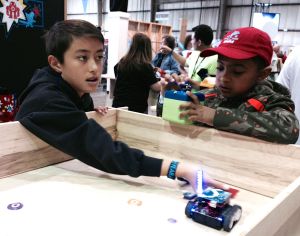
 IoT 4 Kids